 Sahil K
API Basics, Named Credentials, and Real-World Integration Examples
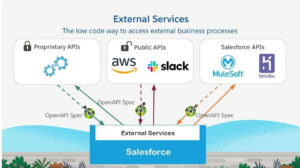
Modern businesses use multiple applications to manage different operations. A company may use Salesforce for CRM, an ERP system for finance, a payment gateway for transactions, and external platforms for marketing or customer support.
For these systems to work efficiently, they need to communicate with each other.
This is where Salesforce Integrations become essential.
Using REST APIs and Salesforce integration tools, organizations can exchange data automatically, eliminate manual work, and create a seamless business process across multiple platforms.
What is a Salesforce Integration?
A Salesforce Integration allows Salesforce to exchange information with external applications.
Instead of manually entering the same data into multiple systems, integrations automate the flow of information.
Examples include:
- Syncing customer data with ERP systems
- Connecting Salesforce with payment gateways
- Sending lead information to marketing platforms
- Integrating customer support applications
- Updating inventory systems automatically
Integrations help organizations improve efficiency and maintain consistent data across systems.
Understanding APIs
API stands for Application Programming Interface.
An API acts as a bridge that allows two applications to communicate with each other.
Think of an API as a waiter in a restaurant:
- You place an order.
- The waiter delivers it to the kitchen.
- The kitchen prepares the food.
- The waiter brings the response back.
Similarly, APIs send requests between systems and return responses.
What is REST API?
REST (Representational State Transfer) is the most commonly used API architecture in modern applications.
Salesforce provides REST APIs that allow external systems to:
- Create Records
- Read Records
- Update Records
- Delete Records
REST APIs use standard HTTP methods:
| Method | Purpose |
| GET | Retrieve Data |
| POST | Create Data |
| PATCH | Update Data |
| DELETE | Remove Data |
Because REST APIs are lightweight and easy to use, they are widely adopted for Salesforce integrations.
How Salesforce REST API Works
A typical integration follows these steps:
Step 1: Authentication
The external application authenticates with Salesforce.
Step 2: API Request
The application sends a request to Salesforce.
Step 3: Processing
Salesforce processes the request.
Step 4: Response
Salesforce returns the requested data or confirmation.
This request-response cycle forms the foundation of most integrations.
What are Named Credentials?
One of the biggest challenges in integrations is managing authentication securely.
Salesforce solves this using Named Credentials.
Named Credentials allow administrators and developers to store:
- Endpoint URLs
- Authentication Details
- OAuth Configuration
- Security Settings
Instead of hardcoding usernames, passwords, or tokens inside Apex code, developers can reference a Named Credential.
Benefits of Named Credentials
✔ Improved Security
✔ Easier Maintenance
✔ Simplified Authentication
✔ Reduced Development Effort
Named Credentials are considered a best practice for modern Salesforce integrations.
Real-World Integration Examples
Payment Gateway Integration
When a customer completes a payment:
- Payment platform processes the transaction.
- API sends confirmation to Salesforce.
- Salesforce updates the related Opportunity or Order.
This eliminates manual updates and improves accuracy.
ERP Integration
Many organizations use ERP systems such as SAP or Oracle.
Common integration scenarios include:
- Customer Synchronization
- Product Updates
- Invoice Information
- Inventory Management
Salesforce and ERP systems exchange information automatically through APIs.
Marketing Platform Integration
Marketing tools often generate leads from:
- Landing Pages
- Campaign Forms
- Webinars
Using REST APIs, new leads can automatically be created in Salesforce for sales teams to follow up.
Customer Support Integration
Organizations often use external support platforms.
Integrations can automatically:
- Create Cases
- Update Customer Records
- Sync Support Statuses
This ensures service teams have complete customer visibility.

Best Practices for Salesforce Integrations
Use Named Credentials
Avoid storing credentials directly in Apex code.
Named Credentials provide a secure and scalable solution.
Handle Errors Properly
External systems may occasionally fail or return unexpected responses.
Implement proper exception handling and logging mechanisms.
Secure Your APIs
Always use:
- OAuth Authentication
- HTTPS Endpoints
- Access Controls
Security should be a priority in every integration project.
Avoid Hardcoding Values
Store configurable values in:
- Custom Metadata Types
- Custom Settings
- Named Credentials
This improves flexibility and maintainability.
Monitor Integration Performance
Regularly monitor:
- API Usage
- Error Logs
- Response Times
- Failed Transactions
Proactive monitoring helps prevent business disruptions.
Skills Every Salesforce Developer Should Learn
If you want to work on integrations, focus on:
- REST APIs
- HTTP Callouts
- Named Credentials
- JSON Serialization & Deserialization
- OAuth Authentication
- Apex Integration Patterns
- Error Handling Techniques
These skills are commonly used in real-world Salesforce projects.
Conclusion
Salesforce Integrations enable organizations to connect Salesforce with external applications and create seamless business processes.
REST APIs provide a simple and powerful way to exchange data, while Named Credentials help secure authentication and simplify development.
Whether you’re integrating payment gateways, ERP systems, marketing platforms, or support tools, understanding Salesforce integration fundamentals is a valuable skill for every developer and administrator.
“A CRM becomes truly powerful when it can communicate with the rest of your business ecosystem.”