 rutvik@palenable.com
Table of Contents
- Introduction
- The Evolution of Salesforce
- The Business Impact of Salesforce
- Key Salesforce Tools for Admins
- Understanding Salesforce Flow
- Real-World Use Cases of Flow Automation
- Conclusion
1. Introduction
In today’s digital-first world, businesses rely on automation to save time, reduce manual errors, and scale efficiently. Salesforce, the world’s leading Customer Relationship Management (CRM) platform, empowers organizations to connect with customers, streamline operations, and make smarter decisions.
For Salesforce Administrators, one of the most powerful tools available is Salesforce Flow — a declarative (click-not-code) automation feature that allows admins to automate complex business processes without writing a single line of code. It bridges the gap between business requirements and technical execution, making admins key drivers of productivity and innovation.
2. The Evolution of Salesforce
Salesforce was founded in 1999 with a simple idea: deliver enterprise software through the cloud. What began as a basic CRM has evolved into an expansive ecosystem covering sales, service, marketing, analytics, and AI.
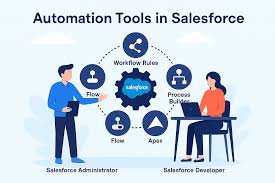
Over the years, Salesforce has introduced several automation tools, such as Workflow Rules and Process Builder. However, as business needs grew more complex, Salesforce unified these capabilities into a single, powerful automation engine — Salesforce Flow.
Today, Flow stands as the core automation solution, combining flexibility, speed, and intelligence to handle everything from data updates to multi-step approvals and integrations.
3. The Business Impact of Salesforce
Salesforce’s impact goes beyond CRM management — it transforms the way businesses operate:
- Customer 360 View: Salesforce connects departments, giving organizations a single view of each customer’s journey.
- Productivity Boost: Automated processes reduce manual tasks and improve employee efficiency.
- Data-Driven Decisions: Built-in analytics and AI tools help teams predict trends and personalize experiences.
- Scalability and Security: As businesses grow, Salesforce scales securely to handle increased data and users.
4. Key Salesforce Tools for Admins
Salesforce offers a suite of tools that empower administrators to manage, automate, and optimize their orgs effectively:
- Setup Menu: Centralized control panel to configure users, profiles, and security.
- Object Manager: Allows creation and customization of standard and custom objects.
- Reports & Dashboards: Provides real-time analytics for business insights.
- Data Loader & Data Import Wizard: Tools to import, export, or update records in bulk.
- Validation Rules & Duplicate Rules: Maintain data quality and enforce business logic.
- Salesforce Flow: The next-generation automation engine for declarative process building.
5. Understanding Salesforce Flow
Salesforce Flow is a comprehensive automation framework that helps administrators create business logic using clicks instead of code. It enables you to:
- Automate repetitive tasks like record creation, updates, and notifications.
- Guide users through screens for data entry or complex decision processes.
- Integrate systems by connecting Salesforce to external applications or APIs.
- Implement conditional logic to perform actions based on business rules.
There are several types of flows:
- Record-Triggered Flows – Run automatically when records are created, updated, or deleted.
- Schedule-Triggered Flows – Run on a set schedule to handle routine jobs.
- Screen Flows – Provide interactive user experiences through custom screens.
- Autolaunched Flows – Run in the background via buttons, actions, or Apex.
By mastering Salesforce Flow, administrators can build scalable, low-code solutions that enhance productivity and user satisfaction.
6. Real-World Use Cases of Flow Automation
Here are some common examples of how organizations use Salesforce Flow to automate and improve operations:
- Lead Assignment: Automatically route new leads to the right sales representative based on region or product interest.
- Opportunity Updates: When a deal is closed, trigger flows that update revenue reports, create follow-up tasks, and notify finance.
- Case Management: Automatically escalate high-priority support cases and notify the relevant team.
- Employee Onboarding: Create a step-by-step flow that provisions new users, assigns training tasks, and collects necessary approvals.
- Data Validation: Use flows to check for missing information or duplicates before saving records.
At Palenable Solutions, implementing Flows ensures that teams focus on high-value work while routine tasks happen seamlessly in the background.
7. Conclusion
Salesforce has revolutionized business operations through innovation, and Salesforce Flow represents the next chapter in no-code automation. For administrators, mastering Flow is not just a skill — it’s a strategic advantage that helps transform business logic into intelligent automation.
As Salesforce continues to evolve, the role of the Admin will remain vital — bridging technology with business outcomes. With the power of Flow, Palenable Solutions and its Salesforce professionals can deliver faster, smarter, and more connected customer experiences.